
What is cPanel? How to Use cPanel? (Beginner's Guide)
02.03.2026What is cPanel? How to Use cPanel? (Beginner's Guide)
After purchasing a web hosting service, you need a control panel to manage your website. This is where cPanel, the world's most popular hosting control panel, comes into play. Thanks to its user-friendly interface, even users without technical knowledge can easily manage their websites.
In this guide, we will cover in detail what cPanel is, how to use cPanel, the features it offers, and the most essential tasks beginners can perform via cPanel.
What is cPanel?
cPanel is a web hosting control panel developed to easily manage web hosting accounts. Working on Linux-based servers, this system allows you to manage website files, create email accounts, perform database operations, and control many hosting settings from a single panel.
Hosting providers generally offer cPanel hosting services to facilitate their users' operations. Thanks to cPanel, many tasks can be performed in just a few clicks without the need for technical commands.
One of the most significant advantages of cPanel is its clean and user-friendly interface. For this reason, it is widely favored by both beginners and professional web developers alike.
How Does cPanel Work?
cPanel acts as a management interface between the hosting server and the user. Many processes running on the server are carried out automatically in the background, and the user manages these processes through a graphical interface.
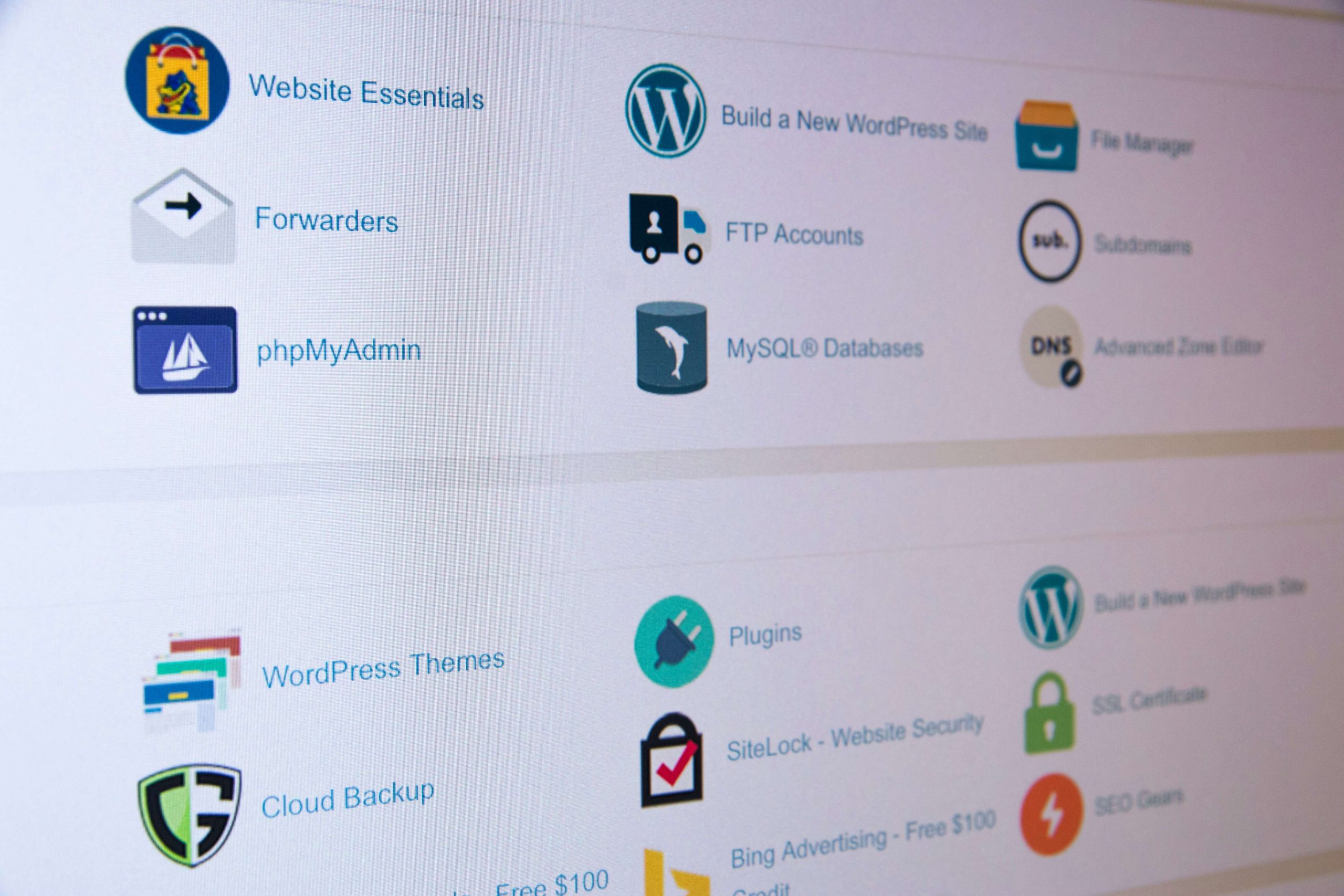
Some of the operations that can be performed with cPanel include:
- Managing website files
- Creating domains and subdomains
- Creating email accounts
- MySQL database management
- Installing SSL certificates
- Backup operations
- Installing WordPress
While these operations could normally be performed using server command lines, they can be accomplished with just a few clicks thanks to cPanel.
How to Log In to cPanel?
Logging into cPanel is quite simple. After purchasing hosting, your hosting provider sends you your cPanel login credentials.
Generally, you can access cPanel via the following addresses:
- yourdomain.com/cpanel
- yourdomain.com:2083
After typing this address into your browser, you can log in with your username and password.
Once logged in, the cPanel control panel will greet you. This panel houses all your hosting management tools.
cPanel Interface and Sections
The cPanel interface consists of different categories. Each category is designed to manage specific hosting operations.
File Management (Files)
This section is used to manage website files.
Key tools:
- File Manager – Editing site files
- FTP Accounts – Creating FTP accounts
- Backup – Backing up the site
In particular, File Manager is one of the most frequently used tools in cPanel.
Databases
Many websites use databases. CMS platforms, especially WordPress, run on MySQL databases.
In this section, you will find tools such as:
- MySQL Databases
- phpMyAdmin
Through phpMyAdmin, you can manage your database via a graphical user interface.
Domain Management
Domain names can also be managed through cPanel.
In this section, you can find tools such as:
- Addon Domain
- Subdomain
- Domain Redirect
This allows you to host multiple websites on a single hosting account.
Email Management
With cPanel, you can create custom email accounts for your domain name.
For example:
info@yourdomain.com
Actions that can be taken in this section:
- Creating an email account
- Email forwarding
- Spam filtering
- Webmail access
This feature is extremely important for corporate and business websites.
Installing WordPress with cPanel
Many hosting providers offer one-click WordPress installation via cPanel.
WordPress installation steps are generally as follows:
- Log in to cPanel
- Open Softaculous or WordPress Installer
- Select the domain
- Enter the site information
- Click the Install button
This process is usually completed in less than 1 minute.
Once the installation is complete, you can access your WordPress admin dashboard.
Uploading Files with cPanel
File Manager can be used to upload website files to the server.
File upload steps:
- Log in to cPanel
- Open File Manager
- Go to the public_html directory
- Click the Upload button
- Upload the file
Most website files reside in the public_html folder.
Installing SSL with cPanel
An SSL certificate must be used for website security.
Free SSL installation can be performed through cPanel.
Hosting companies generally install SSL certificates automatically through the AutoSSL system.
When SSL is active, your website displays securely:
This is essential for both security and SEO.
Advantages of Using cPanel
There are numerous benefits to using cPanel.
- User-friendly interface
- Easy site management
- Quick installation tools
- Extensive features
- Secure hosting management
Thanks to these advantages, cPanel has become the most widely used hosting control panel today.
Difference Between cPanel and WHM
Many users confuse the concepts of cPanel and WHM.
| cPanel | WHM |
|---|---|
| Hosting account management | Server management |
| Used by site owners | Used by server administrators |
| File and site management | Creating hosting accounts |
To summarize briefly:
WHM manages the server, while cPanel manages the hosting account.
cPanel Security
Hosting account security is of paramount importance. When using cPanel, the following security measures should be taken:
- Using strong passwords
- Enabling two-factor authentication
- Taking regular backups
- Not installing untrusted software
These precautions significantly improve the security of your hosting account.
Frequently Asked Questions
Is cPanel free?
cPanel is generally offered together with the hosting service. However, because hosting providers pay licensing fees, it is factored into the hosting package.
Can hosting be used without cPanel?
Yes, it can be used, but site management becomes considerably harder. That is why most users prefer cPanel hosting.
How many sites can be managed with cPanel?
Depending on your hosting plan, multiple sites can be managed. Different websites can be added using the Addon Domain feature.
Conclusion
cPanel is one of the most popular control panels developed to manage web hosting accounts. Thanks to its user-friendly interface, website management becomes very straightforward.
Many tasks, such as file management, database operations, email management, and WordPress installation, can be done quickly and conveniently via cPanel.
For beginners, using cPanel hosting greatly simplifies website management. Therefore, choosing a cPanel-supported infrastructure when selecting a hosting plan offers a significant advantage.
Get in Touch About Your Project
You can write to us through the contact form for web design, e-commerce setup, Google SEO and digital marketing services. No membership is required; your message reaches our team directly.
Send a MessageI'm a Customer, Log In